
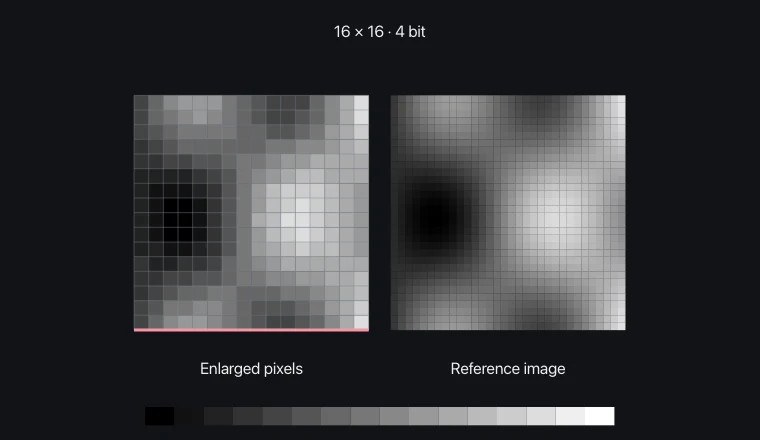
Meaning and mechanism
Raster images are represented by pixel values in rows and columns. Even with the same screen size, a greater number of pixels allows for the storage of more detailed spatial information.
As the bit depth increases, the number of steps available for representing brightness and color increases. However, this does not automatically result in the creation of previously nonexistent details simply by increasing the number of pixels.
Relationships and conditions
The initial bit count is calculated by multiplying the width by the height by the number of bits per pixel. 8 is used to convert to bytes, and in actual storage, byte padding and file format are verified.
The calculation for the experiment refers to the raw size, excluding compression, header, and row arrangement. It is also necessary to differentiate channel configurations, such as RGB with 24 bits and grayscale with 8 bits.
What to observe in the simulation
Raw size is proportional to pixel count and bit depth.
Raw grayscale size excludes headers, row padding, and compression. At 24 bits, RGB channels share a gray value.
Key relationships and symbols
bytes = width × height × depth / 8
| Symbol | Meaning | Unit |
|---|---|---|
| W, H | Horizontal and vertical pixel counts | pixel |
| depth | Bits per pixel | bit/pixel |
Worked example
What does greater depth change at fixed resolution?
More color levels · Raw size is proportional to pixel count and bit depth.
Common misconceptions
- If the width and height are each doubled, the number of pixels is not doubled; it is quadrupled.